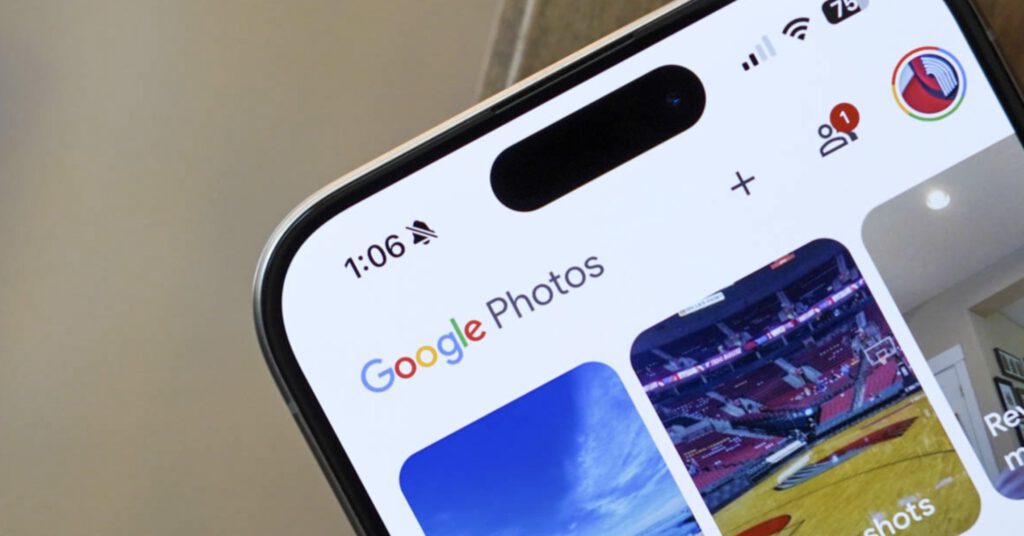
Google Photos users on Android, you can now change playback speed of videos. This new feature is rolling out now, Google announced today as a “top request” from the community.
To adjust video playback speed in Google Photos, you’ll open the Photos app, tap on a video you want to edit, tap the 3-dot menu button, and then choose “Playback speed.”
googletag.cmd.push(function() {
var mapping = googletag.sizeMapping().
addSize([0, 0], [[250, 250], [300, 100], [300, 250]]).
build();
googletag.defineSlot( ‘/1043061/DL_INJECT1’, [[250,250],[300,100],[300,250],[300,600]], ‘gpt-ad-4916644249077-0’ )
.addService(googletag.pubads()).defineSizeMapping(mapping);
window.advadsGamEmptySlotsTimers = window.advadsGamEmptySlotsTimers || {};
const timers = window.advadsGamEmptySlotsTimers;
timers[‘gpt-ad-4916644249077-0’] = setTimeout( function () {
const id = ‘gpt-ad-4916644249077-0’;
document.dispatchEvent( new CustomEvent( ‘aagam_empty_slot’, {detail: id} ) );
delete ( timers[id] );
}, 1000 );
if ( typeof window.advadsGamHasEmptySlotListener === ‘undefined’ ) {
googletag.pubads().addEventListener( ‘slotRequested’, function ( ev ) {
const id = ev.slot.getSlotElementId();
if ( typeof timers[id] === ‘undefined’ ) {
return;
}
clearTimeout( timers[id] );
timers[id] = setTimeout( function () {
document.dispatchEvent( new CustomEvent( ‘aagam_empty_slot’, {detail: id} ) );
delete ( timers[id] );
}, 2500 );
} );
googletag.pubads().addEventListener( ‘slotResponseReceived’, function ( ev ) {
const id = ev.slot.getSlotElementId();
if ( typeof timers[id] !== ‘undefined’ ) {
clearTimeout( timers[id] );
delete ( timers[id] );
}
if ( ! ev.slot.getResponseInformation() ) {
document.dispatchEvent( new CustomEvent( ‘aagam_empty_slot’, {detail: id} ) );
}
} );
window.advadsGamHasEmptySlotListener = true;
}
googletag.enableServices();
googletag.display( ‘gpt-ad-4916644249077-0’ );
} );
You’ll see options of: 0.25X, 0.5X, 1X, 1.5X, and 2X. Once you choose one, you’ll select the checkmark (Done) to complete.
And that’s it! The simplest playback speed changing feature I’ve seen.
googletag.cmd.push(function() {
var mapping = googletag.sizeMapping().
addSize([0, 0], [[250, 250], [300, 100], [300, 250]]).
build();
googletag.defineSlot( ‘/1043061/DL_INJECT1’, [[250,250],[300,100],[300,250],[300,600]], ‘gpt-ad-9572374124389-0’ )
.addService(googletag.pubads()).defineSizeMapping(mapping);
window.advadsGamEmptySlotsTimers = window.advadsGamEmptySlotsTimers || {};
const timers = window.advadsGamEmptySlotsTimers;
timers[‘gpt-ad-9572374124389-0’] = setTimeout( function () {
const id = ‘gpt-ad-9572374124389-0’;
document.dispatchEvent( new CustomEvent( ‘aagam_empty_slot’, {detail: id} ) );
delete ( timers[id] );
}, 1000 );
if ( typeof window.advadsGamHasEmptySlotListener === ‘undefined’ ) {
googletag.pubads().addEventListener( ‘slotRequested’, function ( ev ) {
const id = ev.slot.getSlotElementId();
if ( typeof timers[id] === ‘undefined’ ) {
return;
}
clearTimeout( timers[id] );
timers[id] = setTimeout( function () {
document.dispatchEvent( new CustomEvent( ‘aagam_empty_slot’, {detail: id} ) );
delete ( timers[id] );
}, 2500 );
} );
googletag.pubads().addEventListener( ‘slotResponseReceived’, function ( ev ) {
const id = ev.slot.getSlotElementId();
if ( typeof timers[id] !== ‘undefined’ ) {
clearTimeout( timers[id] );
delete ( timers[id] );
}
if ( ! ev.slot.getResponseInformation() ) {
document.dispatchEvent( new CustomEvent( ‘aagam_empty_slot’, {detail: id} ) );
}
} );
window.advadsGamHasEmptySlotListener = true;
}
googletag.enableServices();
googletag.display( ‘gpt-ad-9572374124389-0’ );
} );
Read the original post: Google Photos Adds Video Playback Speed on Android
https://www.droid-life.com/2026/04/06/google-photos-adds-video-playback-speed-on-android/?rand=7