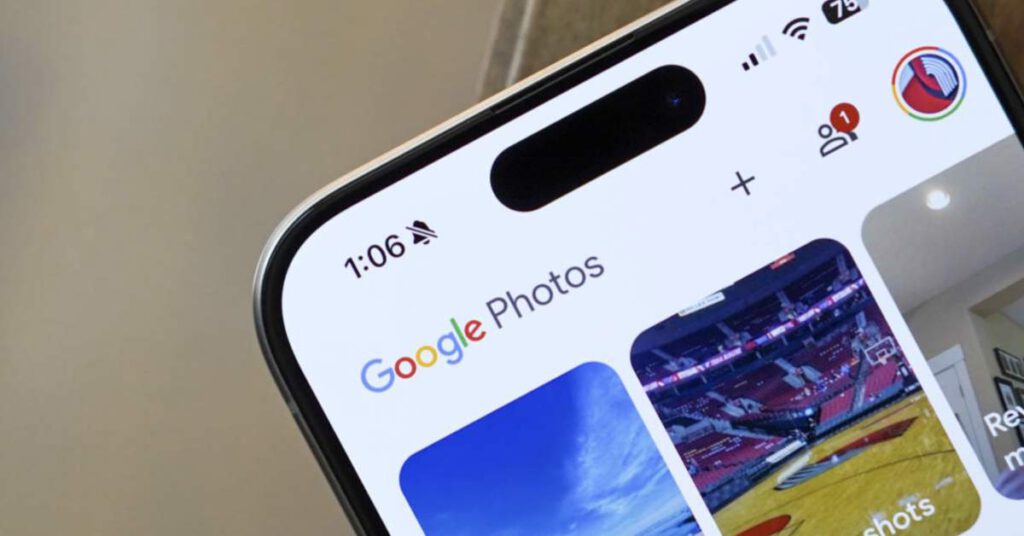
Google Photos is rolling out new quick facial tools to tackle minor edits. For example, if you take a photo of yourself but then notice a little change you want, you won’t have to send it to Gemini to get it corrected.
Google is adding in seven quick facial tools: Heal, smooth, under eyes, irises, teeth, eyebrows or lips. Once you select which tool you want to use, each has its own intensity wheel, so you can achieve the desired look.
googletag.cmd.push(function() {
var mapping = googletag.sizeMapping().
addSize([0, 0], [[250, 250], [300, 100], [300, 250]]).
build();
googletag.defineSlot( ‘/1043061/DL_INJECT1’, [[250,250],[300,100],[300,250],[300,600]], ‘gpt-ad-5288862021302-0’ )
.addService(googletag.pubads()).defineSizeMapping(mapping);
window.advadsGamEmptySlotsTimers = window.advadsGamEmptySlotsTimers || {};
const timers = window.advadsGamEmptySlotsTimers;
timers[‘gpt-ad-5288862021302-0’] = setTimeout( function () {
const id = ‘gpt-ad-5288862021302-0’;
document.dispatchEvent( new CustomEvent( ‘aagam_empty_slot’, {detail: id} ) );
delete ( timers[id] );
}, 1000 );
if ( typeof window.advadsGamHasEmptySlotListener === ‘undefined’ ) {
googletag.pubads().addEventListener( ‘slotRequested’, function ( ev ) {
const id = ev.slot.getSlotElementId();
if ( typeof timers[id] === ‘undefined’ ) {
return;
}
clearTimeout( timers[id] );
timers[id] = setTimeout( function () {
document.dispatchEvent( new CustomEvent( ‘aagam_empty_slot’, {detail: id} ) );
delete ( timers[id] );
}, 2500 );
} );
googletag.pubads().addEventListener( ‘slotResponseReceived’, function ( ev ) {
const id = ev.slot.getSlotElementId();
if ( typeof timers[id] !== ‘undefined’ ) {
clearTimeout( timers[id] );
delete ( timers[id] );
}
if ( ! ev.slot.getResponseInformation() ) {
document.dispatchEvent( new CustomEvent( ‘aagam_empty_slot’, {detail: id} ) );
}
} );
window.advadsGamHasEmptySlotListener = true;
}
googletag.enableServices();
googletag.display( ‘gpt-ad-5288862021302-0’ );
} );
To use it, select a face in a photo and choose which tool you want to use. This is now rolling out to all Android users.
You can watch the below video on how it works.
googletag.cmd.push(function() {
var mapping = googletag.sizeMapping().
addSize([0, 0], [[250, 250], [300, 100], [300, 250]]).
build();
googletag.defineSlot( ‘/1043061/DL_INJECT1’, [[250,250],[300,100],[300,250],[300,600]], ‘gpt-ad-4870152950541-0’ )
.addService(googletag.pubads()).defineSizeMapping(mapping);
window.advadsGamEmptySlotsTimers = window.advadsGamEmptySlotsTimers || {};
const timers = window.advadsGamEmptySlotsTimers;
timers[‘gpt-ad-4870152950541-0’] = setTimeout( function () {
const id = ‘gpt-ad-4870152950541-0’;
document.dispatchEvent( new CustomEvent( ‘aagam_empty_slot’, {detail: id} ) );
delete ( timers[id] );
}, 1000 );
if ( typeof window.advadsGamHasEmptySlotListener === ‘undefined’ ) {
googletag.pubads().addEventListener( ‘slotRequested’, function ( ev ) {
const id = ev.slot.getSlotElementId();
if ( typeof timers[id] === ‘undefined’ ) {
return;
}
clearTimeout( timers[id] );
timers[id] = setTimeout( function () {
document.dispatchEvent( new CustomEvent( ‘aagam_empty_slot’, {detail: id} ) );
delete ( timers[id] );
}, 2500 );
} );
googletag.pubads().addEventListener( ‘slotResponseReceived’, function ( ev ) {
const id = ev.slot.getSlotElementId();
if ( typeof timers[id] !== ‘undefined’ ) {
clearTimeout( timers[id] );
delete ( timers[id] );
}
if ( ! ev.slot.getResponseInformation() ) {
document.dispatchEvent( new CustomEvent( ‘aagam_empty_slot’, {detail: id} ) );
}
} );
window.advadsGamHasEmptySlotListener = true;
}
googletag.enableServices();
googletag.display( ‘gpt-ad-4870152950541-0’ );
} );
Read the original post: Google Photos Gets Quick Edits for Whiter Teeth, Blemish Removal
https://www.droid-life.com/2026/04/20/google-photos-new-quick-edits/?rand=7